Skip to main navigation Skip to main content
Return to Homepage 


My Account

Main navigation

  • HOW DO I...
  • JOIN NOW
  • LOCATIONS & HOURS
    • Amelia Givin (Mt. Holly Springs)
    • Bosler (Carlisle)
    • Coy Library (Shippensburg)
    • East Pennsboro (Enola)
    • Fredricksen (Camp Hill)
    • John Graham (Newville)
    • New Cumberland
    • Simpson (Mechanicsburg)
    • System Headquarters
  • EVENTS (opens in new tab)
  • COLLECTIONS
    • Catalog (opens in new tab)
    • Databases
    • eBooks/eAudiobooks
    • Genealogy
    • Law Library
    • New Arrivals
    • Tax Resources
    • Newspapers
    • Online Learning
    • School Tools
  • SERVICES
    • Adult Services
    • Community
    • Computers/Internet
    • Homebound Services (STAR)
    • Job & Career Help
    • Mobile Apps
    • Mobile Printing
    • Notifications
    • Special Services
    • Text Messaging
  • KIDS & TEENS
    • Books & Movies
    • Early Literacy
    • Educator Resources
    • School Tools
    • Skills For Life
  • SUPPORT US
    • Be An Advocate
    • Donate Online
    • How to Donate Items
    • Make A Bequest
    • Volunteer

My Account

Edit Personal Information In Your Library Account

Use the Edit Account feature to change your email address, telephone number, contact preference.

Note: You cannot change your address through Encore.  To update your address, please visit your Library.

1. Click "Edit Account."

Edit account

2.  Update your contact information.  Scroll down and click Submit.
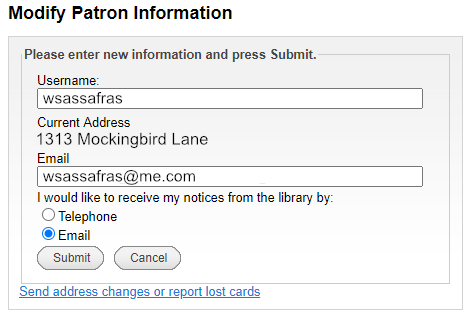
 modify patron information


My Account

Renewing Items

You can renew items from your account. Log in to your account. You will see items that have already been renewed and any fees that have accrued. These items can also be sorted by due date.

To renew an item(s)

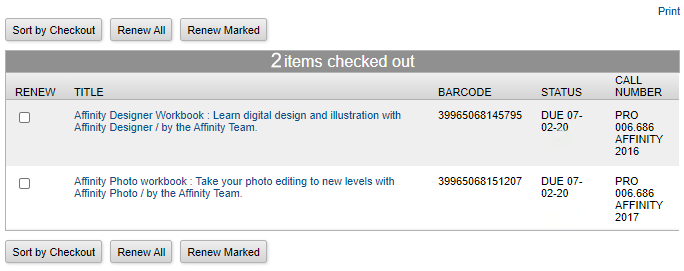
  1. Click the box to the left of the title of the item you wish to renew.
  2. Click the "Renew Marked" or "Renew All" buttons to renew your items.
    renew items
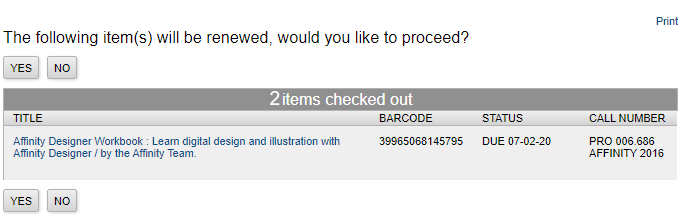
  3. A message will appear asking if you want to proceed with your renwal.  Select Yes or No. items will be renewed
  4. You will see the date the item is now due and the number of times the item can be renewed. Most items can be renewed 5 times as long as none else is requesting them.


My Account

Fines and Fees

From the fines tab, you can view all of the fines and fees associated with your account.

All overdue fines will list the date the item was checked out, the date the item is due, and the date you returned the item to the library (the date the item was checked in).


My Account

Holds

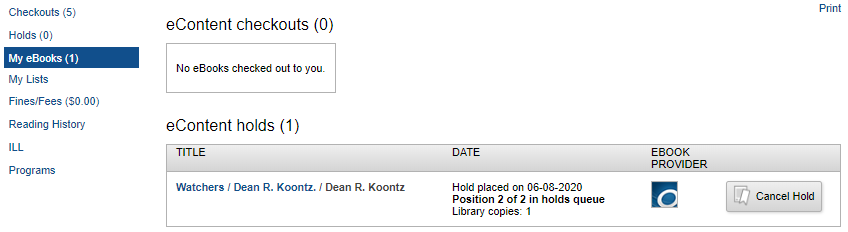
You can change the pickup location before a hold is filled and/or cancel a request. You can also freeze and unfreeze holds. This applies to both physical items and for eBooks and eAudiobooks.

NOTE: Items will remain frozen until you uncheck the box.  After a year has passed, the hold will expire.

eBooks Hold screenshot


My Account

My Account

Your Encore account allows you to have more control over your library experience. 

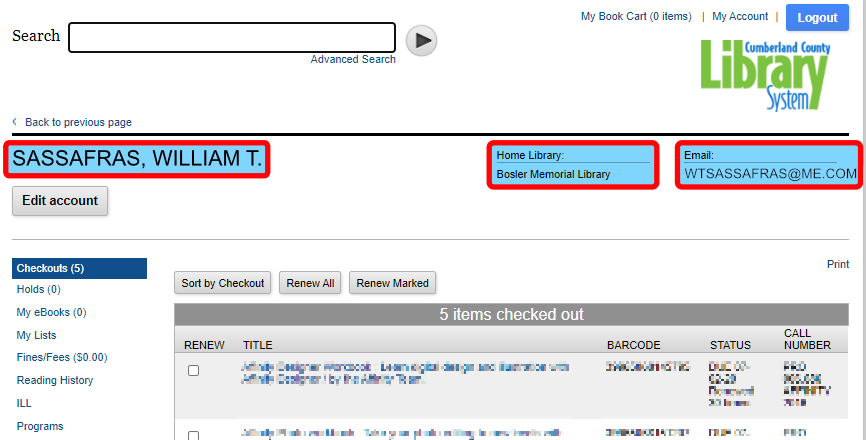
After logging in to your account, you will see your name below the Search box. You will also see your Home Library and your Email address:

My Account - Logged


My Account

Forgot Your PIN?

NOTE: You need to have a valid email address listed on your library account to use this feature. If you do not have a valid email listed on your account, please call your local library.

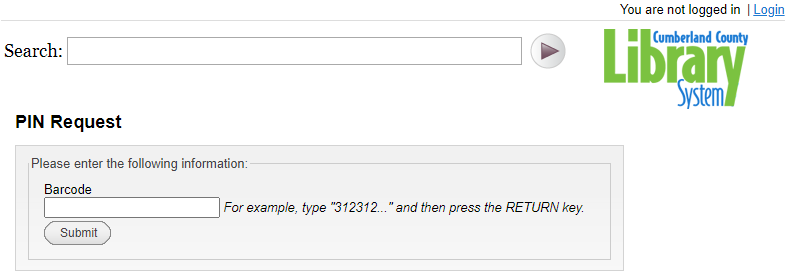
  1. From the Library Account Login page, select Forgot Your Pin?Forgot Your Pin? graphic snip
  2. Enter your library barcode number and select Submit.PIN Request graphic
  3. An email will be sent to your email address with a link. Click on that link.
  4. Fill out the form with your barcode and your new PIN as requested. Click Submit.

My Account

Log Into Encore

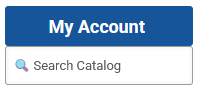
1. Click the "My Account" login at the top of the Library's homepage.

Snapshot of My Account, Search Catalog and Search Site section

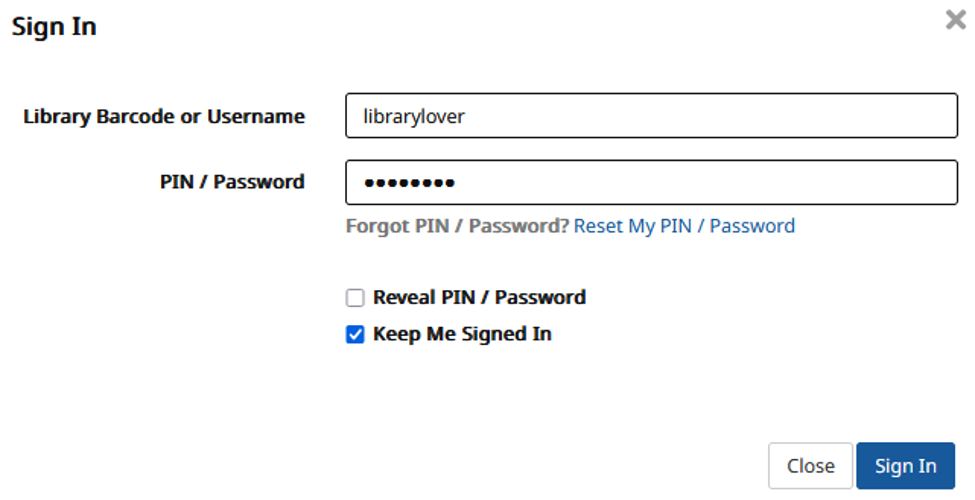
2. Enter your library barcode number or username and PIN and click Submit.

Snapshot of Account Login Page


My Account

Log Into My Account

My Account
  1. Click the "My Account" login at the top of the Library's homepage.
  2. Enter your library barcode number or username and PIN and click Submit.
Library account login snapshot showing fields for Barcode or Username, then for PIN

My Account
Subscribe to My Account

ABOUT CCLS

  • Donate
  • Finance
  • Foundation
  • History
  • Intranet (Staff)
  • Mission
  • Organization
  • Policies
  • Search Site

CONTACT US

  • Contact Us
  • Email a Librarian
  • Employment
  • Frequently Asked Questions
  • Request Inter-Library Loan
  • Request Item
  • Search Site
  • Sitemap
  • Volunteer

NEWS & UPDATES

  • Get Advocacy Updates
  • Libraries in the News
  • News Releases
  • NextReads Newsletters

MEMBER LIBRARIES

  • Amelia Givin (Mt. Holly Springs)
  • Bosler (Carlisle)
  • Coy (Shippensburg)
  • East Pennsboro (Enola)
  • Fredricksen (Camp Hill)
  • John Graham (Newville)
  • New Cumberland
  • Simpson (Mechanicsburg)

Cumberland County Library System  | System Headquarters Office, 400 Bent Creek Blvd, Suite 150, Mechanicsburg, PA 17050
Ph: (888) 697-0371, ext. 6175 or (717) 240-6175 | Web Site by Cumberland County Library System (Mechanicsburg, PA)
Accessibility | Site Notices | Contact Webmaster
POWER Library icon PA Forward

Copyright © 2026 Cumberland County Library System - All rights reserved

Theme Developed & Designed by Alaa Haddad - Site Developed by David MacLachlan Cumberland County Library System